Tradish
Features
Blog
Join the waitlist
Save from anywhere

Save a recipe from anywhere you find one.

A food blog, a TikTok, an Instagram reel, a handwritten card. Share it to Tradish or paste the link, and it comes back as a clean recipe you can search, scale, and actually cook from.
Join the waitlist
Free · Up to 5 recipe imports per week
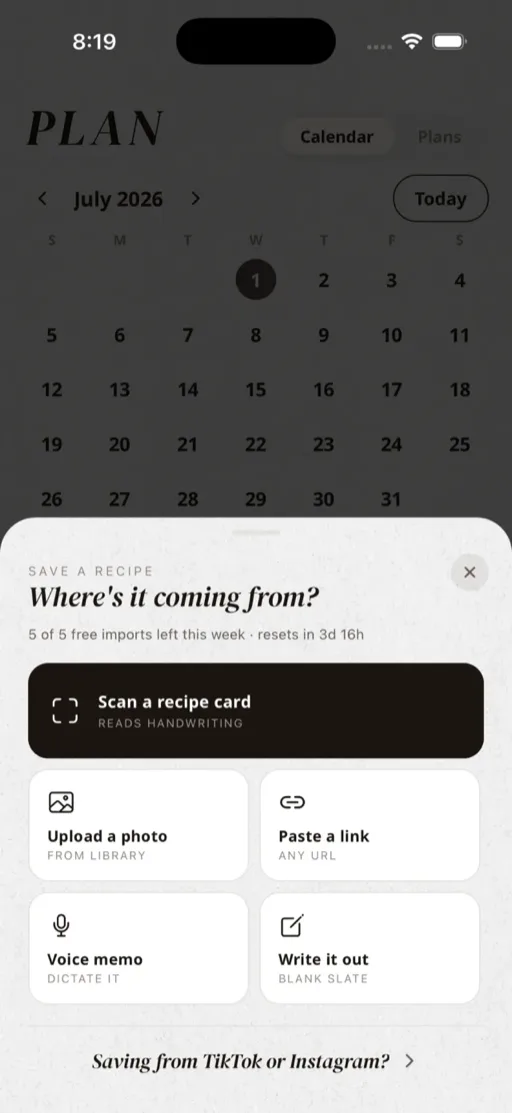
The Tradish save sheet showing options to scan a card, paste a link, save from social, or dictate a recipe
Every source

One save button for every kind of recipe.

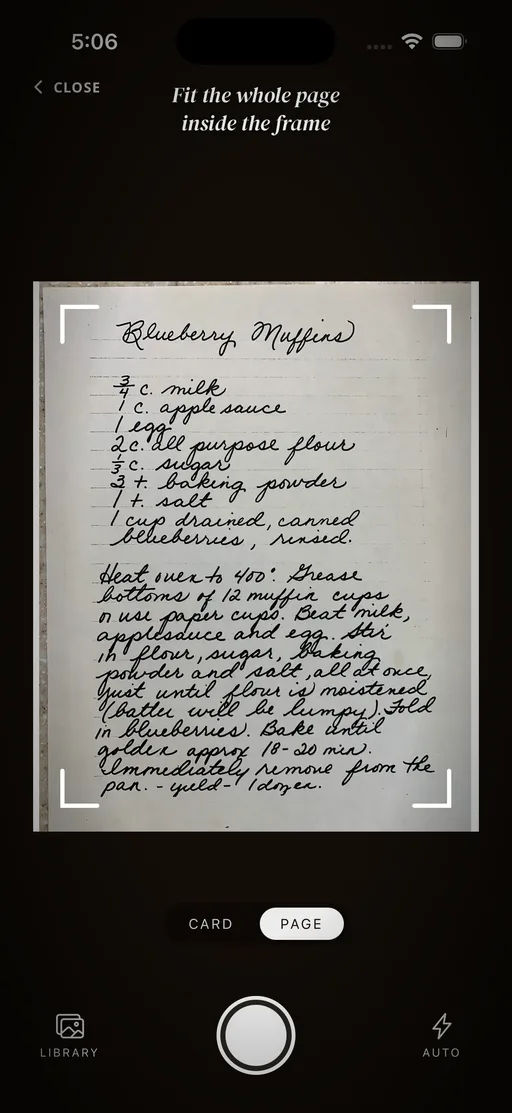
Paste any link from a recipe blog, a big cooking site, Notion, even a social post. Share a reel or short straight from TikTok, Instagram, YouTube, Pinterest, Facebook, or Reddit. Scan a handwritten card, dictate one out loud, or type it in. However a recipe reaches you, there is a way in.
The Tradish camera framing a handwritten recipe card to scan it into the app
A real recipe, not a bookmark

It comes back as something you can cook from.

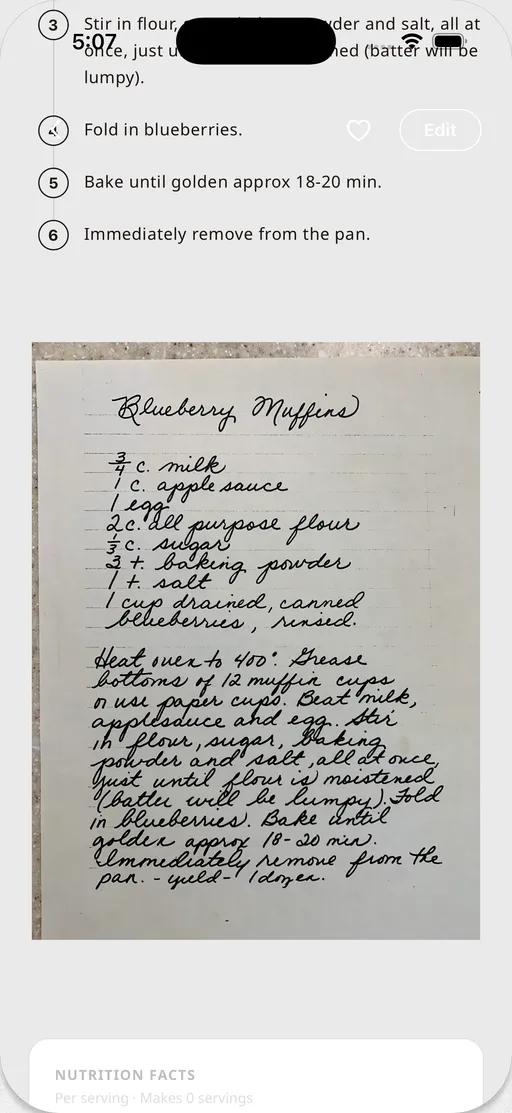
Tradish reads the caption or the page and gives you back structured ingredients and steps, a cover image, and the original creator credited when it can find them. Not a screenshot buried in your camera roll, but a recipe you can search, scale, and cook from step by step.
A saved recipe in Tradish showing structured steps next to the original handwritten recipe card
Straight into your week

Getting the recipe in is the start, not the end.

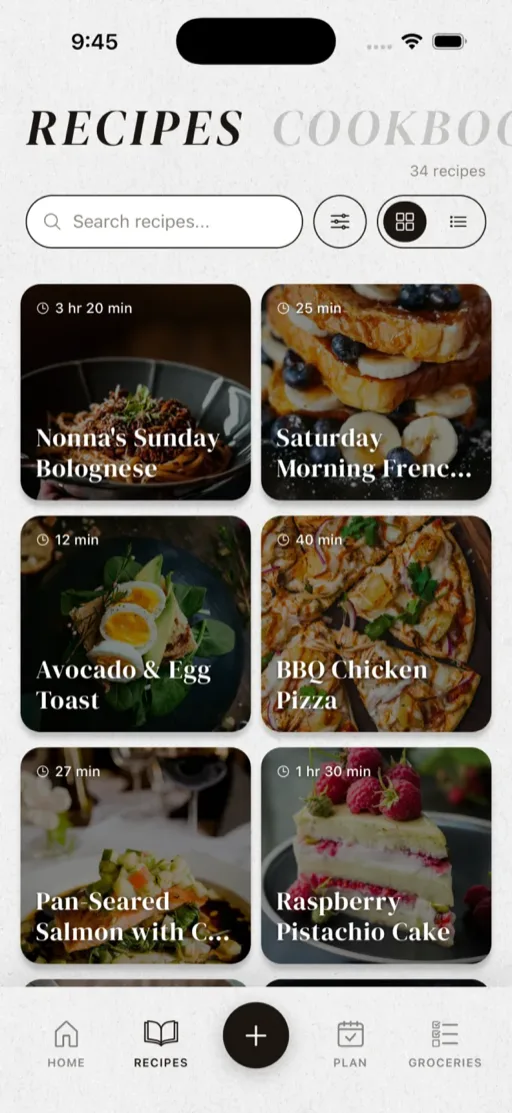
Every save lands in one searchable library, ready to drop into a cookbook, add to a weekly meal plan, and roll up into a grocery list that sorts itself by aisle. The recipe you saved on your phone at lunch is on the table by dinner.
The Tradish recipes library showing saved recipes gathered into one searchable place
Questions

Good to know

How do I save recipes from TikTok and Instagram?

Open the post, tap Share, and choose Save to Tradish, or paste the link into the app. Tradish reads the caption and turns it into a recipe. The same works for YouTube, Pinterest, Facebook, and Reddit.

Can Tradish import recipes from any website?

Paste any recipe URL and Tradish pulls the ingredients and steps automatically, with a live preview before you save. Dedicated recipe sites and blogs import the most cleanly, because Tradish can read the recipe data built into the page.

Do I have to type the recipe in myself?

No. However a recipe comes in, Tradish fills in the title, ingredients, steps, and cover image, then drops you on a review screen to check it over. You only type if you want to fix a detail or write a recipe from scratch.

What if a post or page has no written recipe?

Tradish reads the caption or page text, not the audio of a video, and the post has to be public. If no recipe is written out, the import can come back empty. For TikTok, Tradish also tries the auto-generated captions, and you can always scan a photo of the recipe instead.

Is there a limit on how many recipes I can save?

Free accounts save up to five imports a week, and Tradish Pro is unlimited. Opening a recipe a friend shared with you never counts against the limit.

What is the fastest way to save a recipe?

The share sheet. From almost any app with a Share button, tap Share and choose Save to Tradish, and it starts reading right away, no copying links or switching apps. There is nothing to set up first.


Tradish is almost here.

Join the waitlist for early access before launch and the best price we'll ever offer.
Join the waitlist
iOS & Android · Launching in 2026
Every recipe. One place.
© 2026 31Forge, LLC