Tradish
Features
Blog
Join the waitlist
Cook Mode

Cook step by step, without scrolling with floury hands.

Cook Mode turns any saved recipe into one big, readable step at a time, with timers that keep running, servings you can scale on the fly, and room to cook the whole meal at once.
Join the waitlist
Free · Up to 5 recipe imports per week
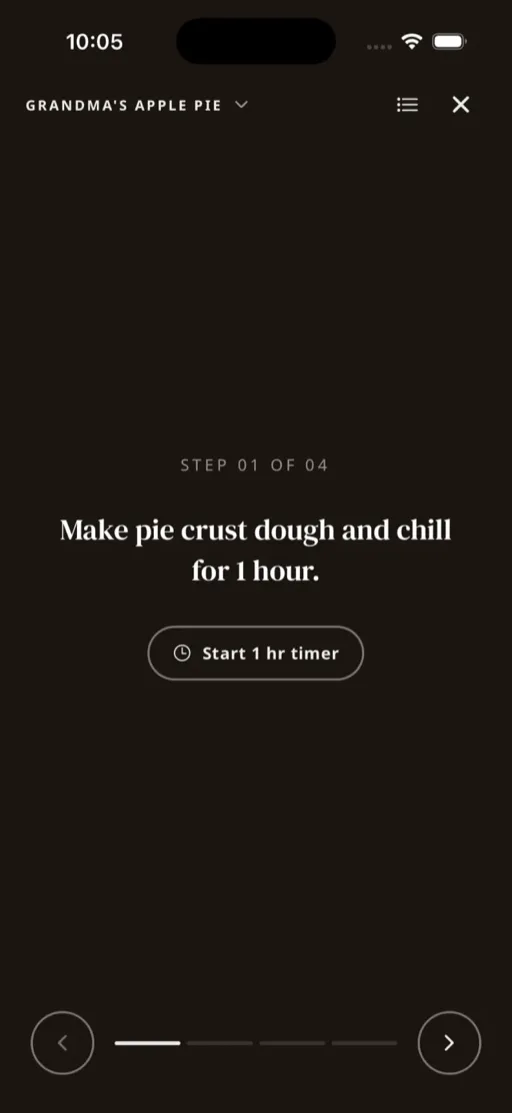
The Tradish Cook Mode step screen showing one step with a timer
Prep, then cook

Gather everything, scaled to your table.

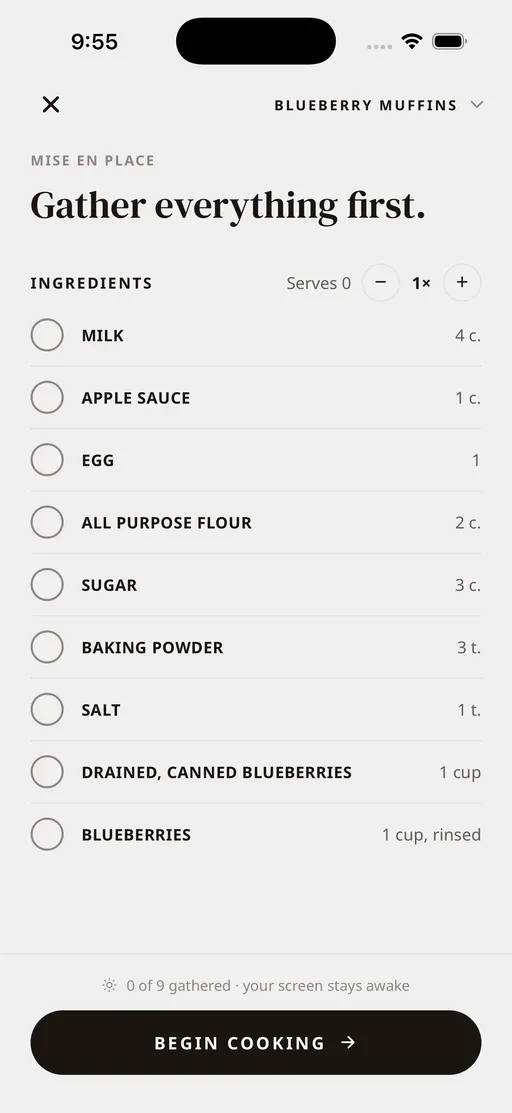
Cook Mode opens on a prep screen that lists every ingredient with a checkbox, so you can measure and gather before the stove is on. Scale the servings up or down and every quantity updates live, so cooking for two or for a crowd never means doing the math yourself.
The Tradish Cook Mode prep screen with an ingredient checklist and a servings multiplier
One step at a time

Just the step you are on, big enough to read across the kitchen.

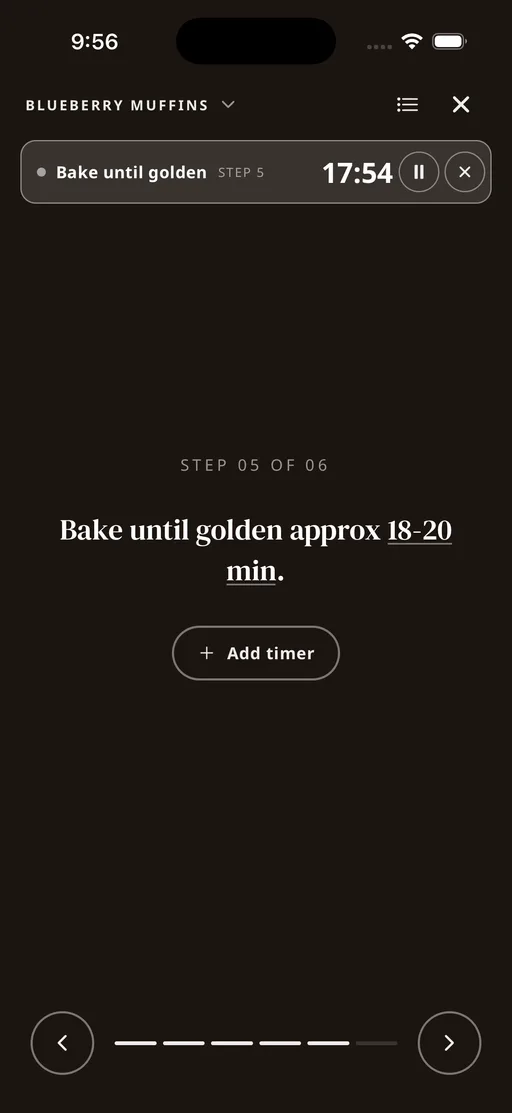
Only the current step is on screen, large and clear, with a simple step 3 of 8 marker and controls to move at your own pace. Any step that needs a timer has one built in. Start it and it keeps running while you move ahead, so you still hear it even after you have flipped to the next step. The screen stays awake the whole time, so it never locks while your hands are busy.
The Tradish Cook Mode step screen with a running timer at the top
The recipe, a tap away

Check the whole recipe without losing your step.

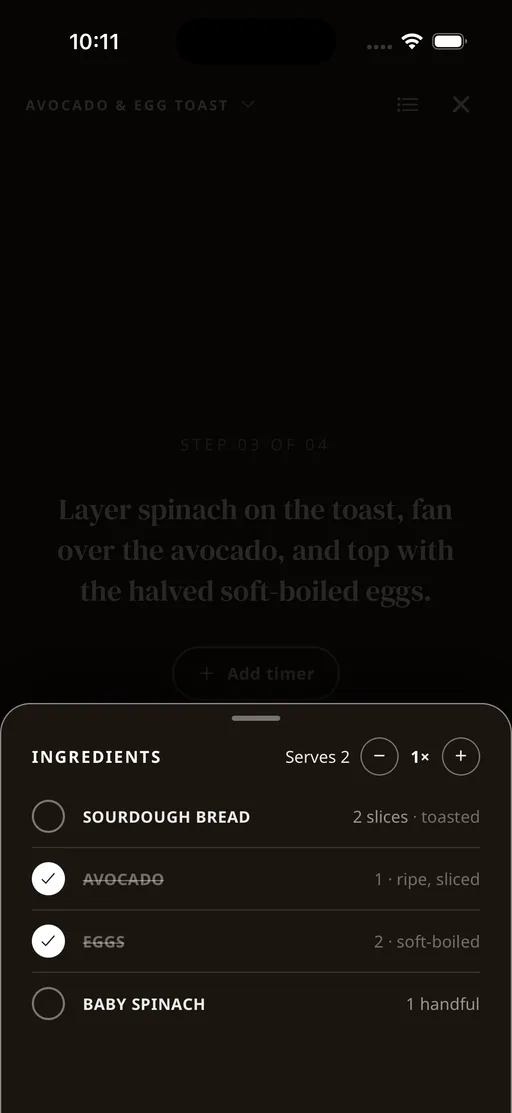
Slide up the full ingredient list from any step, check off what you have already added, and rescale the servings mid-cook if plans change. Close it and you land right back on the step you were on, nothing lost.
The Tradish Cook Mode ingredient list slid up over the current step while cooking
The whole meal at once

A main, a side, and something in the oven, all kept straight.

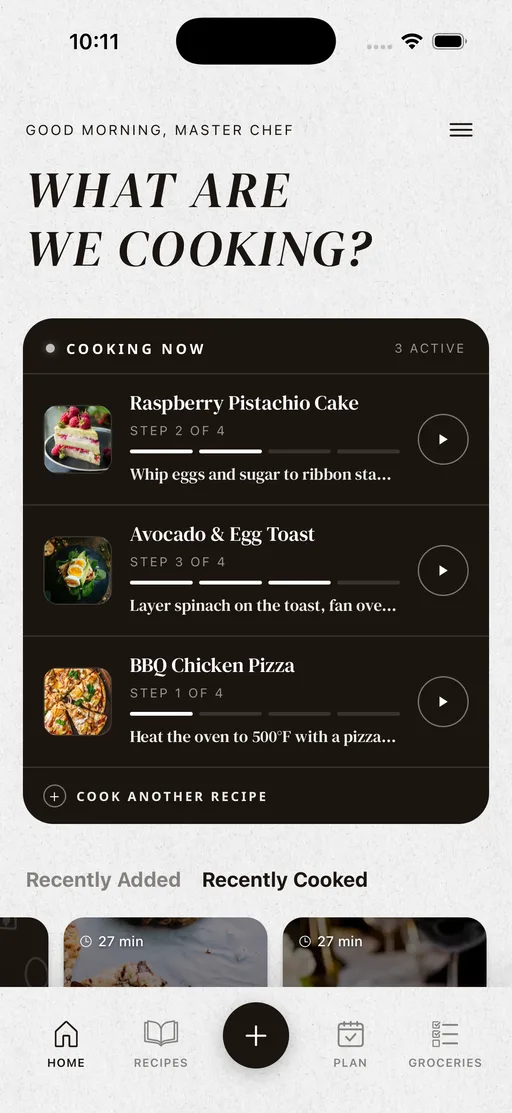
Cook several recipes together and Cook Mode keeps them from tangling. Your home screen shows every recipe you have going, each holding its own place and checked ingredients, so you can jump into one, then back to another, without losing where you were. A floating timer keeps a running pot visible even while you are on a different dish.
The Tradish home screen showing several recipes cooking at once, each on its own step
Questions

Good to know

What is Cook Mode in Tradish?

Cook Mode turns a saved recipe into a focused, step-by-step guide. It starts with a prep checklist, shows one large step at a time with built-in timers, and ends with a place to log what you made. It is part of Tradish Pro.

Does Cook Mode have built-in timers?

Yes. Any step that needs a timer has one you can start, pause, reset, or add a minute to. The timer keeps running while you move through the other steps, so nothing gets forgotten on the stove.

Can I cook more than one recipe at once?

Yes. Cook Mode lets you run several recipes side by side with a recipe switcher, and each one keeps its own place and checked ingredients. A floating timer keeps a running pot visible even while you are reading another dish. This is part of Tradish Pro.

Can I scale a recipe while cooking?

Yes. The prep screen has a servings multiplier that scales every ingredient quantity live, so you can cook for two or for a crowd from the same recipe. Serving scaling is free.

Can I keep track of what I cooked?

Yes. When you finish, Cook Mode offers a done screen where you can save a cook log entry with a star rating, a photo, and notes. Those build into a history you can browse and filter by recipe. The cook log is free.

Is Cook Mode free?

Cook Mode itself, including timers and cooking several recipes at once, is part of Tradish Pro. Serving scaling and the cook log are free. The free plan also includes up to five recipe imports a week.


Tradish is almost here.

Join the waitlist for early access before launch and the best price we'll ever offer.
Join the waitlist
iOS & Android · Launching in 2026
Every recipe. One place.
© 2026 31Forge, LLC